

TL;DR:
- Contractor compliance tools like Avetta, ISNetworld, and Procore help manage safety, prequalification, and project workflows. Pre-verifying worker credentials during hiring reduces mobilization delays and simplifies project access. Combining software with proactive vetting improves bid competitiveness and operational efficiency.
The top workforce compliance tools for contractors in 2026 are Avetta (best for enterprise supplier prequalification), ISNetworld (best for supply chain safety vetting), Procore (best for construction project management with built-in compliance workflows), Coggno (best LMS for OSHA and safety training delivery), and Deel (best for contractor payroll and classification compliance). WorkMotion and TalentDesk round out the shortlist for global contractor management and freelance workforce administration respectively.
TL;DR — Quick Verdict:
- Avetta: Best for large GCs and owner-operators managing hundreds of subcontractors across prequalification networks.
- ISNetworld: Best for supply chain safety compliance in energy, utilities, and heavy construction where owner clients mandate network membership.
- Procore: Best for mid-to-large construction firms that want compliance embedded directly into project management workflows.
- Coggno: Best for specialty contractors (HVAC, plumbing, mechanical) who need a cost-effective LMS for OSHA, safety, and trade-specific training.
- Deel: Best for contractors managing a mix of W-2 employees and 1099 subcontractors who need payroll, classification, and tax compliance in one platform.
- WorkMotion: Best for contractors with international workforce obligations or cross-border project staffing.
- TalentDesk: Best for staffing agencies and project-based firms managing freelance contractor pools with document and payment workflows.
Contractors evaluating these tools should prioritize integration fit with existing payroll and project management systems, then run a 30-day pilot on a single active project before committing. OSHA training tracking, Davis-Bacon certified payroll (WH-347) automation, and certificate of insurance (COI) verification are the three capabilities that separate genuine workforce compliance solutions from basic document storage.
Table of Contents
- Which contractor compliance tools compare best side by side?
- What do contractor workforce compliance tools actually do?
- Detailed profiles of the top contractor compliance tools
- How do you choose the right compliance tool for your firm?
- How verified credentials give contractors a competitive edge in bids
- Which tool fits your contractor profile?
- Key Takeaways
- The compliance gap most contractors overlook
- Petratalent’s workforce compliance support for HVAC and plumbing contractors
- Useful sources and further reading
Which contractor compliance tools compare best side by side?
The table below maps each platform to its primary use case, core compliance capabilities, integration posture, and pricing shape. Use it to narrow your shortlist before requesting demos.

| Tool | Best for | Core features | Integrations | Pricing model | Mobile/offline | Reporting & audit | Support model |
|---|---|---|---|---|---|---|---|
| Avetta | Enterprise GCs, owner-operators | Supplier prequalification, COI collection, safety vetting, risk scoring | ERP, SAP, Oracle, API | Per-supplier, tiered enterprise | Moderate | Strong audit trail | Managed + self-serve |
| ISNetworld | Heavy construction, energy, utilities | Supply chain safety, contractor vetting, training verification | Owner-client networks, API | Contractor subscription + owner fees | Moderate | Strong | Managed |
| Procore | Mid-to-large construction firms | Project compliance, document control, safety logs, RFIs | 400+ marketplace apps, Sage, QuickBooks, ADP | Per-user, tiered | Strong, offline capable | Strong | Self-serve + CSM |
| Coggno | Specialty contractors, HVAC/plumbing | LMS, OSHA course library, certification tracking, custom training | SCORM, API, SSO | Per-seat or course bundles | Moderate | Moderate | Self-serve |
| Deel | Mixed W-2/1099 contractor payroll | Payroll, classification compliance, tax filing, contractor agreements | Slack, QuickBooks, Xero, BambooHR, API | Per-contractor/month | Moderate | Strong | Self-serve + support |
| WorkMotion | Cross-border contractor staffing | Global EOR, contractor compliance, local law adherence | HRIS, API | Per-employee/month | Limited | Moderate | Managed |
| TalentDesk | Freelance/contractor pool management | Contractor onboarding, document management, payment workflows | Xero, QuickBooks, API | Per-user/month | Limited | Moderate | Self-serve |
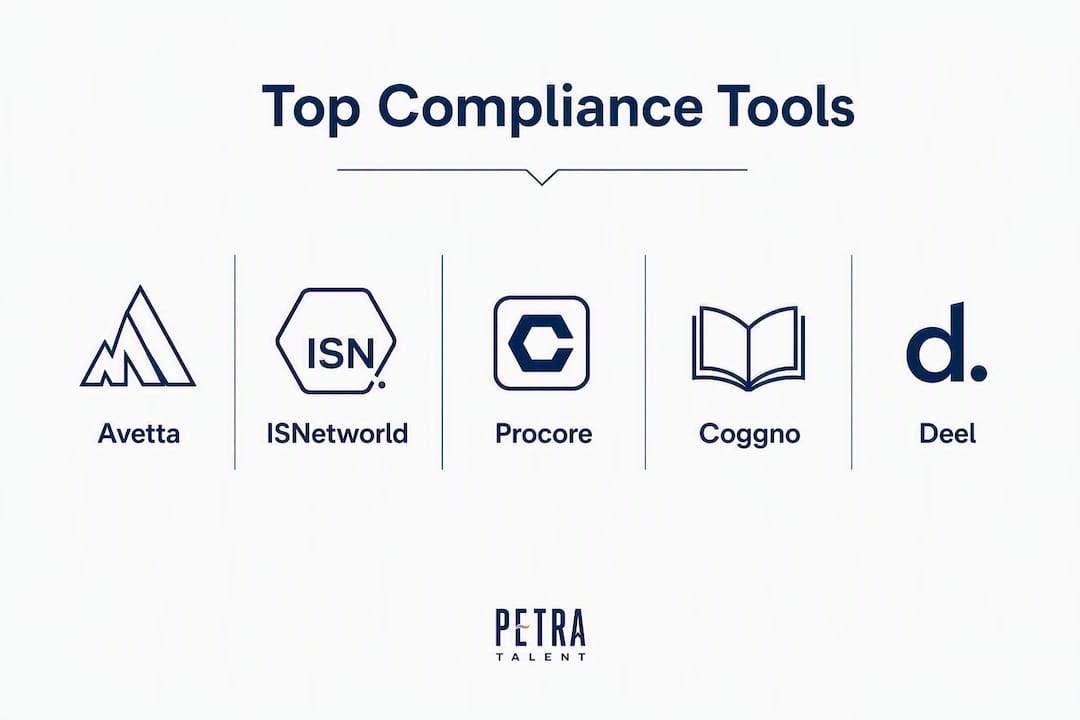
Category legend: Avetta and ISNetworld are prequalification network platforms. Procore is a construction project management platform with compliance modules. Coggno is an LMS-first compliance training platform. Deel and WorkMotion are contractor payroll and classification platforms. TalentDesk is a freelance workforce management platform.
What do contractor workforce compliance tools actually do?
Contractor workforce compliance software, sometimes called contractor management systems (CMS) in the industry, covers a broader scope than most buyers initially expect. The category spans six distinct functional areas, and most platforms specialize in two or three rather than all six.
Core capabilities:
- COI collection and verification: Automated collection of certificates of insurance from subcontractors, with AI-assisted extraction of coverage limits, endorsements, and expiry dates. The strongest systems verify coverage against broker sources rather than relying solely on uploaded PDFs, which can be outdated or falsified.
- Certified payroll (WH-347) automation: Generation of Davis-Bacon Act certified payroll reports for federally funded projects. Dedicated tools like CertifiedPayrollPro produce WH-347 reports in minutes rather than the hours it takes to complete them manually.
- Prequalification and supplier vetting: — Structured onboarding of subcontractors against defined safety, financial, and insurance criteria before they are approved to work on a project. Avetta and ISNetworld operate network-based models where a single prequalification profile is shared across multiple owner-clients.
These capabilities map directly to contractor workflow stages. During bidding, verified workforce credentials and prequalification profiles strengthen tender submissions. During mobilization, automated expiry alerts and COI verification prevent delays at site access. During payroll reporting, certified payroll automation reduces the risk of Davis-Bacon violations on prevailing wage projects. During owner audits, exportable compliance records replace manual document retrieval.
Pro Tip: Embedding compliance tasks inside tools crews already use — such as Procore for project management or ADP for payroll — raises adoption rates and reduces the administrative gap that causes noncompliance. A standalone compliance portal that workers must log into separately will see lower completion rates than one triggered inside a familiar workflow.
Worker-controlled, portable credentials add another layer of efficiency. When individual workers carry a single Skills Passport that multiple contractors can access, duplicate validation is eliminated and deployment timelines shorten. This is particularly relevant for HVAC and plumbing subcontractors who rotate across multiple GC relationships simultaneously.
Detailed profiles of the top contractor compliance tools
Avetta
Overview: Avetta operates one of the largest supply chain safety and contractor prequalification networks in North America, connecting owner-clients with hundreds of thousands of suppliers and subcontractors. The platform centralizes supplier qualification, insurance verification, safety performance data, and onboarding documentation in a single profile that travels with the contractor across multiple client relationships.
Best for: Large general contractors, owner-operators, and project owners in construction, energy, and utilities who need structured, auditable prequalification of their subcontractor base.
Key features: Supplier risk scoring, COI collection and monitoring, safety statistics tracking (EMR, TRIR), worker training verification, and compliance dashboards. Avetta’s network model means a subcontractor prequalified for one client can share that profile with others, reducing onboarding time and risk across the supply chain.
Integrations: SAP, Oracle, and major ERP systems via API. Native integrations vary by enterprise configuration.
Pricing: Per-supplier subscription model for contractors; owner-clients pay separately. Enterprise pricing requires a sales conversation.
Pros: Broad network recognition, strong audit trail, reduces duplicate prequalification work for subcontractors, well-suited to multi-employer site environments.
Cons: Cost can be prohibitive for small subcontractors who must pay to join the network. Implementation for owner-clients is complex and typically requires a managed onboarding process.
Verdict: Avetta is the right choice when owner-clients mandate network membership or when a GC manages a large, rotating subcontractor base that needs consistent vetting standards.
ISNetworld
Overview: ISNetworld (ISN) is a contractor and supplier management platform widely used in energy, utilities, and heavy construction. Owner-clients use ISN to set compliance requirements; contractors submit documentation, safety records, and training completions through a centralized profile.
Best for: Contractors working in energy, petrochemical, utilities, and heavy industrial construction where owner-clients require ISN membership as a condition of contract.
Key features: Safety data collection (RAVS audits), insurance certificate management, training verification, and regulatory compliance tracking. ISN’s strength is its depth of safety performance analytics and its adoption among large industrial owner-clients.
Integrations: Owner-client network integrations; API available for enterprise configurations.
Pricing: Annual contractor subscription fee plus owner-client fees. Pricing is not publicly listed and requires direct contact.
Pros: Deep penetration in industrial and energy sectors, recognized by major owner-clients, strong safety analytics.
Cons: Less relevant outside energy and heavy industrial verticals. The subscription model adds cost for smaller contractors. The platform’s interface can feel dated compared to newer SaaS tools.
Verdict: ISN is effectively mandatory for contractors pursuing work with large industrial owner-clients who require it. For commercial construction or specialty trades, Avetta or Procore will be a better fit.
Procore
Overview: Procore is the dominant construction project management platform in the United States, and its compliance capabilities are embedded directly into project workflows rather than bolted on as a separate module. Document control, safety logs, subcontractor management, and inspection records all live in the same environment where project teams already work.
Best for: Mid-to-large construction firms, general contractors, and specialty contractors who want compliance built into daily project operations rather than managed in a separate system.
Key features: Subcontractor prequalification, document management, safety observation logs, inspection checklists, daily logs, and a marketplace of 400+ integrated apps. Procore’s compliance strength comes from its position as the system of record for project data, making audit trails a natural byproduct of normal use.
Integrations: Native integrations with Sage 300, QuickBooks, ADP, Viewpoint, and dozens of payroll and ERP systems. The Procore Marketplace connects to specialized compliance tools, COI platforms, and LMS providers.
Pricing: Per-user, tiered pricing. Procore does not publish standard rates publicly; pricing is based on annual construction volume and user count.
Pros: Strong mobile app with offline capability, construction-specific workflows, broad integration ecosystem, widely adopted so subcontractors are often already familiar with it.
Cons: Not a dedicated compliance platform — COI verification and certified payroll require third-party integrations. Cost is significant for smaller firms.
Verdict: Procore is the right foundation for any mid-to-large contractor. Pair it with a dedicated COI tool and a certified payroll solution to cover the full compliance stack.
Coggno
Overview: Coggno is an LMS platform with a large library of pre-built compliance and safety courses, including OSHA 10, OSHA 30, hazard communication, confined space, and trade-specific content. Contractors can assign courses to workers, track completions, and generate compliance reports without building custom content.
Best for: Specialty contractors, HVAC firms, plumbing subcontractors, and mechanical contractors who need a cost-effective way to deliver and document OSHA and safety training across a distributed workforce.
Key features: Pre-built OSHA and safety course library, custom course authoring, certification tracking, automated completion reminders, and reporting dashboards. SCORM compatibility allows integration with other HR or project management systems.
Integrations: SCORM, SSO, and API. Direct integrations with major HR or payroll platforms are limited compared to enterprise LMS providers.
Pricing: Per-seat or course bundle pricing. Coggno publishes course-level pricing on its marketplace, making it one of the more transparent options for smaller contractors.
Pros: Affordable entry point, large pre-built course library, easy to deploy without an IT team, good fit for contractors who need training documentation for OSHA inspections.
Cons: Not a full compliance management platform — no COI collection, no certified payroll, no prequalification workflows. Reporting depth is moderate compared to enterprise LMS tools.
Verdict: Coggno is the right LMS choice for specialty contractors who need to document OSHA training and track trade certifications without the overhead of an enterprise platform.
Deel
Overview: Deel is a global payroll and contractor compliance platform that handles contractor agreements, classification risk, tax filing, and payment in one system. For U.S. contractors managing a mix of W-2 employees and 1099 subcontractors, Deel reduces the administrative burden of maintaining separate payroll and compliance workflows.
Best for: Contractors and staffing firms managing mixed workforces (W-2 and 1099), firms with classification compliance risk, and companies that need automated contractor agreement generation and tax document management.
Key features: Contractor agreement templates, worker classification guidance, automated 1099 generation, payroll tax filing, and compliance monitoring across U.S. states. Deel’s compliance layer monitors regulatory changes and flags potential classification issues.
Integrations: QuickBooks, Xero, BambooHR, Slack, and open API. Integration with construction-specific tools like Procore is not native and typically requires API configuration.
Pricing: Per-contractor per-month pricing. Deel publishes pricing tiers on its website, making cost modeling straightforward for smaller firms.
Pros: Strong contractor classification compliance, transparent pricing, good self-serve onboarding, solid audit trail for tax and payment records.
Cons: Not construction-specific — no COI management, no OSHA training, no certified payroll for Davis-Bacon projects. Procore integration requires custom API work.
Verdict: Deel fits contractors whose primary compliance risk is worker classification and payroll tax accuracy, particularly firms that use a high volume of 1099 subcontractors.
WorkMotion
Overview: WorkMotion is an employer of record (EOR) and global contractor compliance platform designed for companies with cross-border workforce obligations. For U.S. contractors with international project staffing or Canadian/Mexican border work, WorkMotion handles local employment law compliance, contractor agreements, and payroll in each jurisdiction.
Best for: Contractors with international workforce obligations, cross-border project staffing, or firms expanding into new geographic markets where local employment law expertise is needed.
Key features: EOR services, local contractor compliance, employment contract generation, and payroll in multiple jurisdictions. WorkMotion’s compliance layer monitors local law changes and updates contracts accordingly.
Integrations: HRIS systems and API. Construction-specific integrations are limited.
Pricing: Per-employee per-month, typically enterprise-quoted. Not publicly listed for all markets.
Pros: Strong for international compliance, reduces legal risk in unfamiliar jurisdictions, managed service model reduces internal HR burden.
Cons: Limited relevance for domestic-only U.S. contractors. No construction-specific workflows, no COI management, no OSHA training.
Verdict: WorkMotion is a niche fit — valuable for contractors with genuine cross-border staffing needs, but not a primary compliance tool for domestic construction operations.
TalentDesk
Overview: TalentDesk is a freelance and contractor workforce management platform that centralizes onboarding, document collection, project assignment, and payment for contractor pools. It is better suited to staffing agencies and project-based firms than to field construction operations.
Best for: Staffing agencies, project management firms, and contractors who manage large pools of freelance or project-based workers and need centralized document management and payment workflows.
Key features: Contractor onboarding, document collection, project assignment, time tracking, and payment processing. Compliance features focus on document management and payment compliance rather than safety or COI verification.
Integrations: Xero, QuickBooks, and API. Limited construction-specific integrations.
Pricing: Per-user per-month. Pricing is available on request.
Pros: Clean interface, good for managing large contractor pools, straightforward onboarding workflows.
Cons: Not designed for construction compliance — no COI management, no OSHA training, no certified payroll. Limited field usability.
Verdict: TalentDesk suits staffing agencies and project-based firms more than field construction contractors. For HVAC and plumbing subcontractors, Coggno or Procore will deliver more relevant compliance coverage.
Pro Tip: When evaluating any compliance platform, ask the vendor specifically whether COI extraction uses AI-only or AI plus human review. AI extraction speeds COI processing, but complex endorsements — additional insured, waiver of subrogation, primary and non-contributory language — require expert human review to catch coverage gaps that automated parsing misses.
How do you choose the right compliance tool for your firm?
The selection process for contractor workforce management tools comes down to four questions answered before any demo: What compliance obligations does your firm actually carry? Which systems does the tool need to connect to? Who will administer it day-to-day? And what does success look like in 90 days?
Step-by-step evaluation checklist:
- Define your compliance scope. List every active obligation: Davis-Bacon certified payroll, OSHA training documentation, COI collection from subs, state license verification, or prequalification network membership. The scope determines which tool category you need.
- Map your existing systems. Identify your payroll platform (ADP, QuickBooks, Sage), your project management tool (Procore, Viewpoint), and your HR system. A tool that does not integrate with these will create parallel data entry and reduce adoption.
- Verify COI and license verification depth. Ask vendors whether they check insurance coverage against broker or state database sources, or only parse uploaded documents. Systems that verify license status against official state databases like Texas TDLR or California CSLB provide meaningfully stronger protection than document-only approaches.
- Pilot with a live project. Run a 30-day pilot on one active project before committing. Measure time-to-clearance for new subcontractors, admin hours spent on compliance tasks, and the number of expiry alerts caught before they became site access issues.
- Collect time-to-clearance metrics. Track how long it takes from subcontractor invitation to approved-to-work status. This single metric captures the combined efficiency of COI collection, license verification, and training completion.
10 essential questions to ask vendors:
- Does your platform integrate natively with Procore, or does it require custom API work?
- How does your COI extraction handle complex endorsements (additional insured, waiver of subrogation)?
- Is there human-in-the-loop review for COI gaps, or is extraction fully automated?
- Does the mobile app work offline for field workers without reliable connectivity?
- Which certified payroll formats do you support — federal WH-347, state-specific formats, or both?
- Where is worker data stored, and what are your data residency options for U.S. projects?
- What audit export formats do you support (PDF, CSV, XML) for owner audits and OSHA inspections?
- How long does implementation typically take, and what internal resources are required?
- What is the subcontractor experience — do subs pay to participate, and how long does onboarding take?
- How do you handle regulatory changes (new OSHA standards, state prevailing wage updates) and notify clients?
Red flags to watch for:
- No native integration with Procore or your payroll system, with no clear API documentation.
- COI extraction that is fully automated with no human review option for complex endorsements.
- No exportable audit trail in a standard format.
- Subcontractor onboarding that requires subs to pay fees or complete lengthy registration before they can submit documents.
- Pricing that is entirely opaque with no published structure, even at a category level.
- No OSHA training content or certification tracking for construction-specific safety requirements.
Simple scoring rubric (copy into your RFP):
| Criterion | Weight | Score (1–5) | Weighted score |
|---|---|---|---|
| Subcontractor onboarding friction | 10% | ||
| Audit trail and export formats | 10% | ||
| Pricing transparency | 5% |
Score each vendor 1–5 per criterion, multiply by weight, and sum. A vendor scoring below 3.0 weighted average warrants a second look before advancing to contract.
How verified credentials give contractors a competitive edge in bids
Workforce compliance is not just a risk management function — it is a bid differentiator. Contractors who arrive at a tender with verified worker credentials, current COIs, and documented OSHA training completions shorten the owner’s due diligence process and reduce the friction that delays project starts.

Verified workforce capability can enable up to 15% faster response to client requests and faster mobilization, according to MyPass Global’s research on Skills Passport adoption. The mechanism is straightforward: when workers carry portable, pre-verified credentials that multiple contractors and owners can access, the repeated verification cycle that typically adds days or weeks to mobilization is eliminated.
For HVAC and plumbing contractors specifically, this matters at two points in the project lifecycle. First, during prequalification and bid submission, a contractor with a complete, current compliance profile can respond to owner RFQs faster than competitors still assembling documentation. Second, during mobilization, workers with pre-verified plumbing trade certifications and OSHA completions clear site access requirements without the back-and-forth that delays project starts.
Pro Tip: Worker-controlled Skills Passports — where individual technicians own and share their credential records — reduce duplicate validation across multiple contractor relationships. For HVAC and plumbing workers who rotate across several GC relationships in a year, a single portable credential profile eliminates the need to re-submit the same documents to every new employer or owner-client.
Petratalent’s workforce compliance support for HVAC and plumbing contractors addresses exactly this gap. Technical vetting during the hiring process confirms that candidates hold current, verified credentials before they are placed, which means contractors receive workers who are ready to clear site access requirements from day one. The compliance work happens during recruitment, not after mobilization begins.
Where compliance tooling and recruitment intersect:
- Pre-placement credential verification reduces the risk of placing a worker whose license has lapsed or whose OSHA certification has expired.
- Verified competency data from the hiring process feeds directly into compliance dashboards, reducing duplicate data entry.
- Contractors who combine software-based compliance tracking with pre-vetted placements from a specialized recruiter reduce both administrative overhead and mobilization delays.
- Plumbing workforce vetting that confirms license status, certification currency, and trade competency before a hire is made is the upstream equivalent of what compliance software does downstream on active projects.
Which tool fits your contractor profile?
The right compliance tool depends on company size, project type, and the specific obligations that create the most administrative burden.
Match your profile to the right tool:
- Large general contractor (250+ workers, multi-employer sites): — Avetta or ISNetworld for subcontractor prequalification, Procore for project compliance workflows, and ADP SmartCompliance or a comparable enterprise payroll compliance platform for multi-jurisdiction payroll obligations.
Three practical next steps:
- Engage Petratalent for pre-placement vetting. When hiring HVAC or plumbing workers for projects with specific compliance requirements, technical vetting and workforce solutions from Petratalent confirm credential currency before placement, reducing the compliance burden that falls on project managers after mobilization begins.
Key Takeaways
The most effective contractor workforce compliance strategy combines the right software tool for your project type with pre-verified worker credentials from the hiring stage, not after mobilization begins.
| Point | Details |
|---|---|
| Match tool to use case | Avetta/ISNetworld for prequalification networks; Procore for project compliance; Coggno for OSHA training; Deel for payroll classification. |
| Integration fit is the top selection criterion | A tool that does not connect to your payroll or project management system will create parallel data entry and reduce adoption. |
| Verified credentials accelerate mobilization | MyPass research shows verified workforce capability can enable up to 15% faster response to client requests and faster project starts. |
| COI verification requires human review | AI extraction speeds COI processing, but complex endorsements require expert human review to catch coverage gaps automated parsing misses. |
| Petratalent pre-vets credentials at hire | Petratalent’s technical vetting confirms license currency and certification status before placement, reducing compliance burden after mobilization. |
The compliance gap most contractors overlook
Most articles on contractor workforce compliance tools focus on which platform has the best dashboard or the most integrations. That is the wrong starting point.
The real compliance gap in construction is not software adoption — it is the distance between when a worker is hired and when their credentials are actually verified. Most compliance software operates downstream: it tracks documents after workers are already on site. The administrative scramble to collect COIs, confirm OSHA completions, and verify license status happens after mobilization has started, which is exactly when project managers have the least bandwidth to chase paperwork.
The contractors who consistently mobilize faster and win more bids are not necessarily using better software. They are verifying credentials before the hire is made. When a worker arrives on site with a pre-verified license, a current OSHA 30 completion, and a COI already on file, the compliance software has almost nothing to do — it just records what is already confirmed.
This is where recruitment and compliance tooling intersect in a way most vendors do not discuss. A specialized recruiter who conducts performance-based screening and credential verification during the hiring process is doing upstream compliance work that reduces downstream administrative burden. The software then becomes a tracking and reporting tool rather than a crisis management system.
The practical implication: evaluate compliance tools and your hiring process together, not separately. The best compliance stack for an HVAC or plumbing contractor is one that combines verified placements with software that documents and reports what those workers already hold.
Petratalent’s workforce compliance support for HVAC and plumbing contractors
Compliance software handles the tracking. Petratalent handles the verification that makes tracking straightforward.
For HVAC and plumbing contractors, the compliance burden starts before a worker sets foot on site. License currency, OSHA certification status, trade competency, and insurance documentation all need to be confirmed before mobilization begins. Petratalent’s technical vetting and workforce solutions confirm each of these at the hiring stage, so project managers receive workers who are ready to clear site access requirements from day one.
Typical engagement outcomes for contractors who combine Petratalent’s vetting with software-based compliance tracking include faster subcontractor clearance, fewer last-minute credential gaps at mobilization, and reduced administrative time for project managers who would otherwise be chasing documentation. For specialty contractors in HVAC and plumbing, where certifications directly affect hiring decisions and site access, pre-placement vetting is the most direct way to reduce compliance-related project delays.
To scope a vetting engagement or discuss workforce compliance support for an upcoming project, visit Petratalent’s services page or reach out directly to discuss your firm’s specific requirements.
Useful sources and further reading
The sources below are vetted references for product documentation, regulatory guidance, and contractor-specific compliance resources.
- Jones — Insurance Compliance for General Contractors: Practical guidance on COI collection, AI extraction, and the case for human review on complex endorsements. Useful for contractors evaluating COI-specific tools.
- Avetta — Contractor Risk Management and Supply Chain Safety: Product documentation on Avetta’s prequalification network, supplier risk scoring, and onboarding workflows. Reference for enterprise GCs evaluating prequalification platforms.
- MyPass Global — Contractor Workforce Compliance Software: Research and product documentation on Skills Passports, portable credentials, and mobilization benchmarks. Relevant for contractors evaluating worker-controlled credential systems.
- CertifiedPayrollPro — WH-347 Reports in Minutes: Product documentation on Davis-Bacon certified payroll automation. Reference for contractors with prevailing wage obligations on federal or state-funded projects.
- TrackMyVendor — Contractor Compliance Software: Overview of license verification best practices, including cross-checking against state regulator databases. Useful for contractors evaluating document verification depth.
- ADP SmartCompliance — Payroll and HR Compliance: Documentation on multi-jurisdiction payroll compliance monitoring. Reference for large GCs with complex payroll tax obligations across multiple states.
- Petratalent — Workforce Compliance Support: What Contractors Need to Know: Petratalent’s overview of workforce compliance support services for HVAC and plumbing contractors, including technical vetting and mobilization support.
- Petratalent — How Plumbing Workforce Vetting Works for Contractors: Detailed explanation of Petratalent’s vetting workflow, certification verification, and how pre-placement screening reduces compliance burden on project managers.
- HVAC Liability Insurance for Contractors — LC Heating and Air: Partner resource on contractor liability insurance requirements, COI obligations, and endorsement types relevant to HVAC contractors.
Recommended
Related Posts

October 13, 2026
Recruiting Contract Terms: 10 Checks and Ready to Use Clauses
Define fee triggers, candidate ownership, guarantees, and compliance terms. Get a master agreement, short schedule,…

October 12, 2026
Offer Acceptance Rates: Segment Benchmarks, HVAC’s 3–5 Day SLA
See why a 78% to 82% offer acceptance benchmark can mislead, how role and source…

October 11, 2026
Bad Hires Can Cost Construction Firms 30% to 200% of Salary
Bad hires can cost construction firms 30% to 200% of annual salary. Calculate recruiting, rework,…

October 10, 2026
Construction Labor Forecasting for PMs: 7 Steps to Time Hiring
Learn when construction project managers should use WBS or simulation, track labor KPIs, and turn…